Why an AI-generated slide needs this step
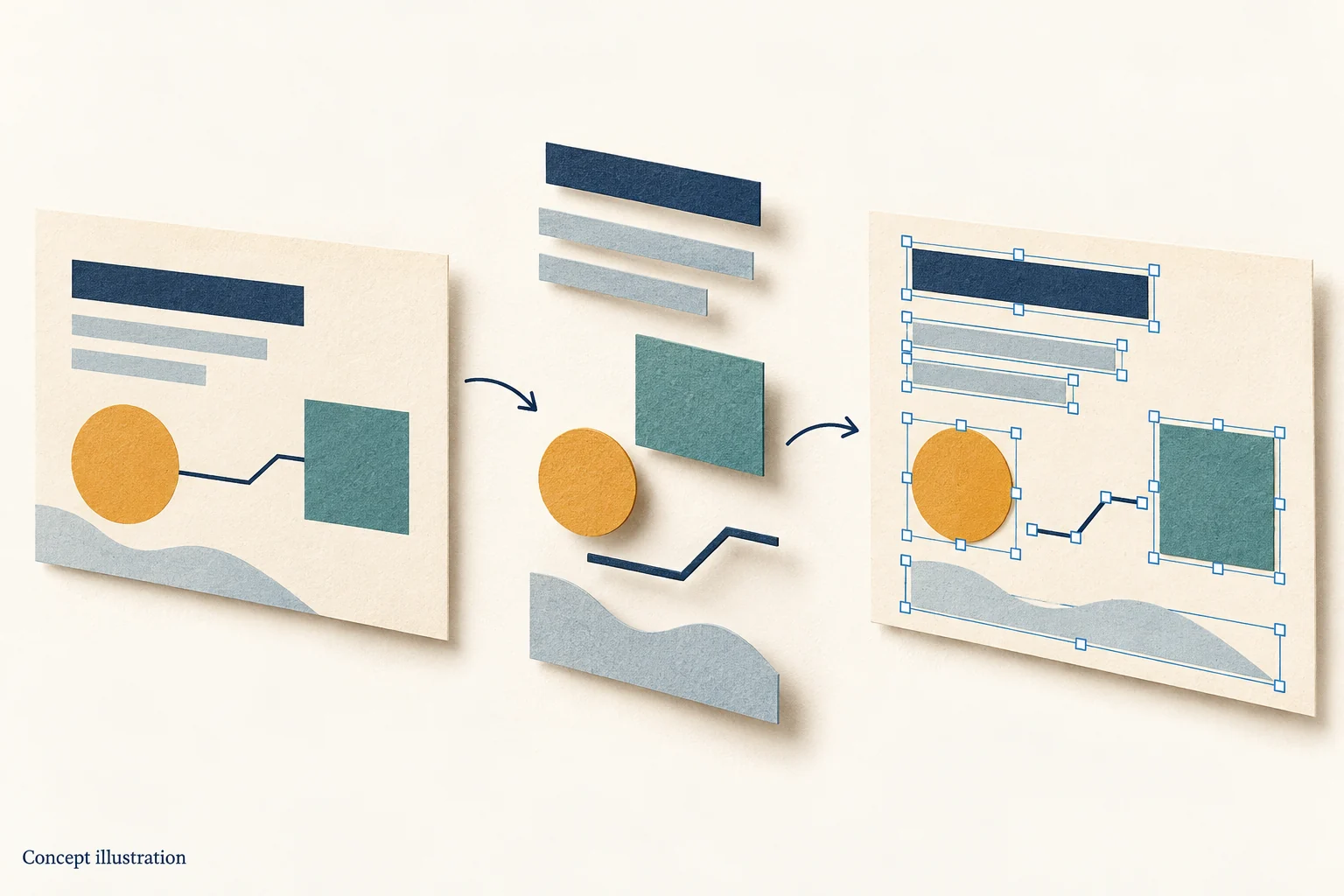
A generation model outputs pixels, not a document. It looks like a finished slide but has no text boxes, shapes, tables or layers. Swapping to a corporate font, changing a number or adding a note all mean starting over. ChatGPT image to PPT exists to measure those pixels back into text boxes, shapes and tables, so a font swap, a number change or an added note takes minutes instead of another generation.
Check the text in AI images carefully
AI-generated text is often misspelled or partly illegible, and the conversion reproduces what is actually in the image — typos included. Read the page in the editor before exporting; it is cheaper than finding the error later in PowerPoint.
What you can do after AI image to PowerPoint
Recolour decorative blocks to your brand palette, replace placeholder copy with real numbers, delete elements you do not need, reorder cards. Text stays text and shapes stay shapes, so the page does not have to be redrawn.
How typical AI layouts convert
A ChatGPT image to PPT conversion works best on big-title-plus-cards, timelines, flow diagrams and split comparisons because their boundaries are clear. Illustration-heavy or textured pages lose detail, and text positions may need a nudge in the editor.
How a generated image differs from a real screenshot
A real capture has a stable grid: card edges land on whole pixels and text baselines run parallel. A generated image carries slight perspective, arbitrary shadows and inconsistent corner radii, and the conversion reads those as genuine geometry. A ChatGPT image to PPT result therefore needs a closer position check than a screenshot does.
Get the words right before converting
Generation models are unreliable at lettering: a four-character name can come back with three. Nothing in a ChatGPT image to PPT pass can repair that, so the fix belongs upstream — put the key copy in the prompt, keep each slide under thirty words, and avoid small body text. Fewer characters means fewer places to fail.
ChatGPT image to PPT in three steps
Save the render as a full-size PNG rather than the thumbnail shown in the chat; upload it and let text, shapes and icons come apart; then edit in the browser and export a .pptx. The step people skip is the first one, and it is the one that decides whether small type survives.
When to regenerate instead of converting
If the layout itself is wrong — muddled hierarchy, unbalanced whitespace, clashing colours — converting only freezes the problem, and going back to the chat to regenerate is faster. The opposite case is where decomposition pays: the layout is already right and only a few words or numbers have to change.
Do not substitute a screenshot for the original render
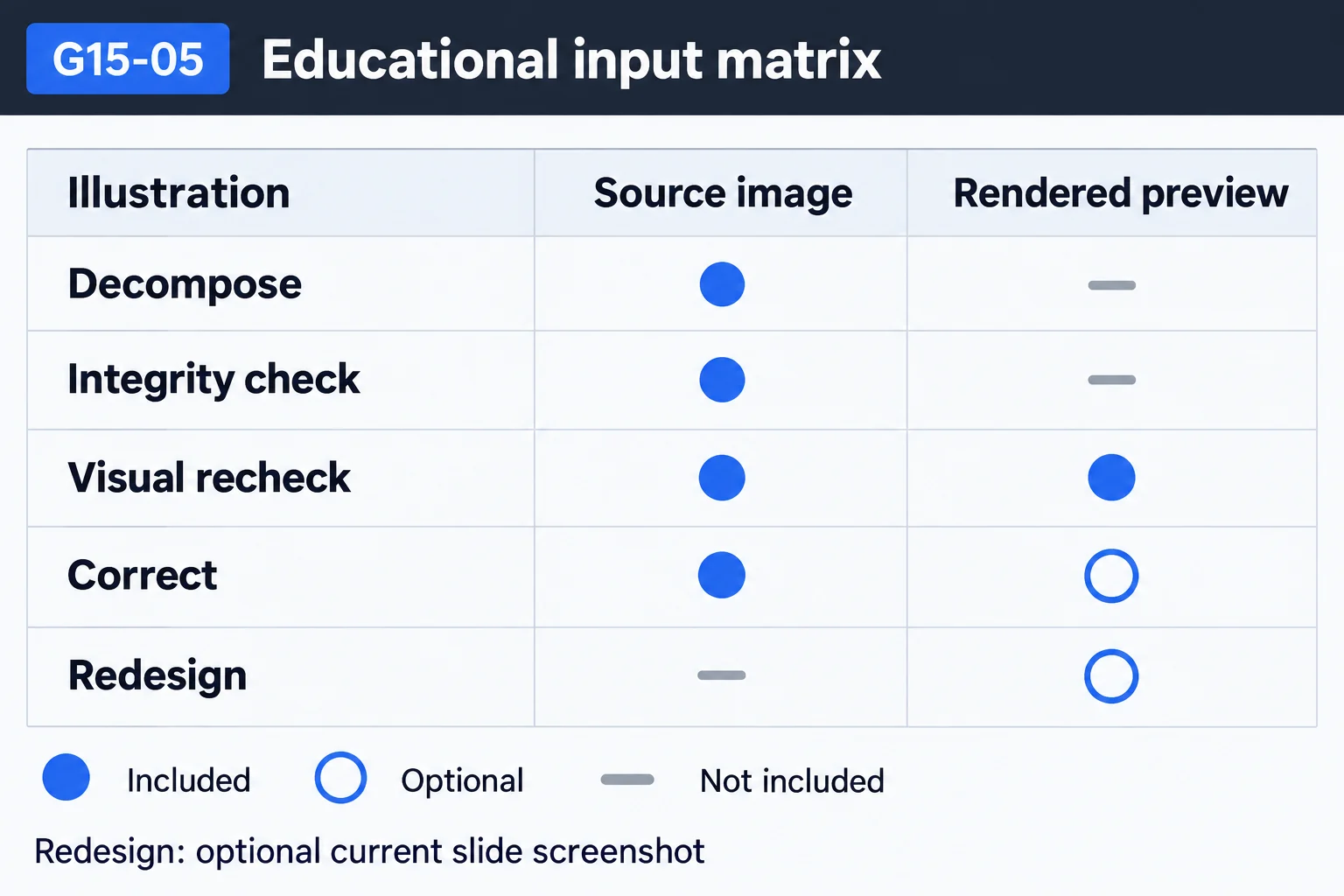
A screenshot resamples the render, effectively compressing it a second time, and small type and hairlines go first. The chat usually offers a download control, so upload the original file and the conversion keeps more stroke detail. This matters more for a ChatGPT image to PPT job than for an ordinary capture, because the lettering is already soft. If a screenshot is all you can get, capture at 2x and do not resize it before uploading — it is also the cheapest fix available.
Questions
Does it work on Midjourney images too?
Yes, the pipeline is the same. As long as the image has legible text and distinguishable shapes, it can be decomposed into objects.
Will fake text in AI images be corrected?
No. The conversion is faithful to the image, so misspellings are preserved and you fix them in the editor.
Does the generated font survive?
Fonts are matched by visual characteristics to available fonts rather than preserving a font the model invented; swapping fonts afterwards in PowerPoint is easy.
Does a higher-resolution render convert more accurately?
Yes. A higher render resolution keeps small type legible, so the decomposition is steadier. If the tool lets you set a size, ask for a large 16:9 frame.
Does ChatGPT image to PPT keep the original palette?
It samples colour from the pixels, so the main hues land close, while gradients and stacked translucency drift. When brand colour is strict, replacing fills once after export is more reliable.