Image to PPT means rebuilding the page, not pasting a picture
Once a flat picture is on a slide, changing one number means rebuilding the page. Upload the image here and text becomes a text box you can type into, colour blocks become native shapes with editable points, tables become native tables with editable cells, icons become vector shapes you can recolour, and photos are cropped out of the source and placed on top as picture objects.
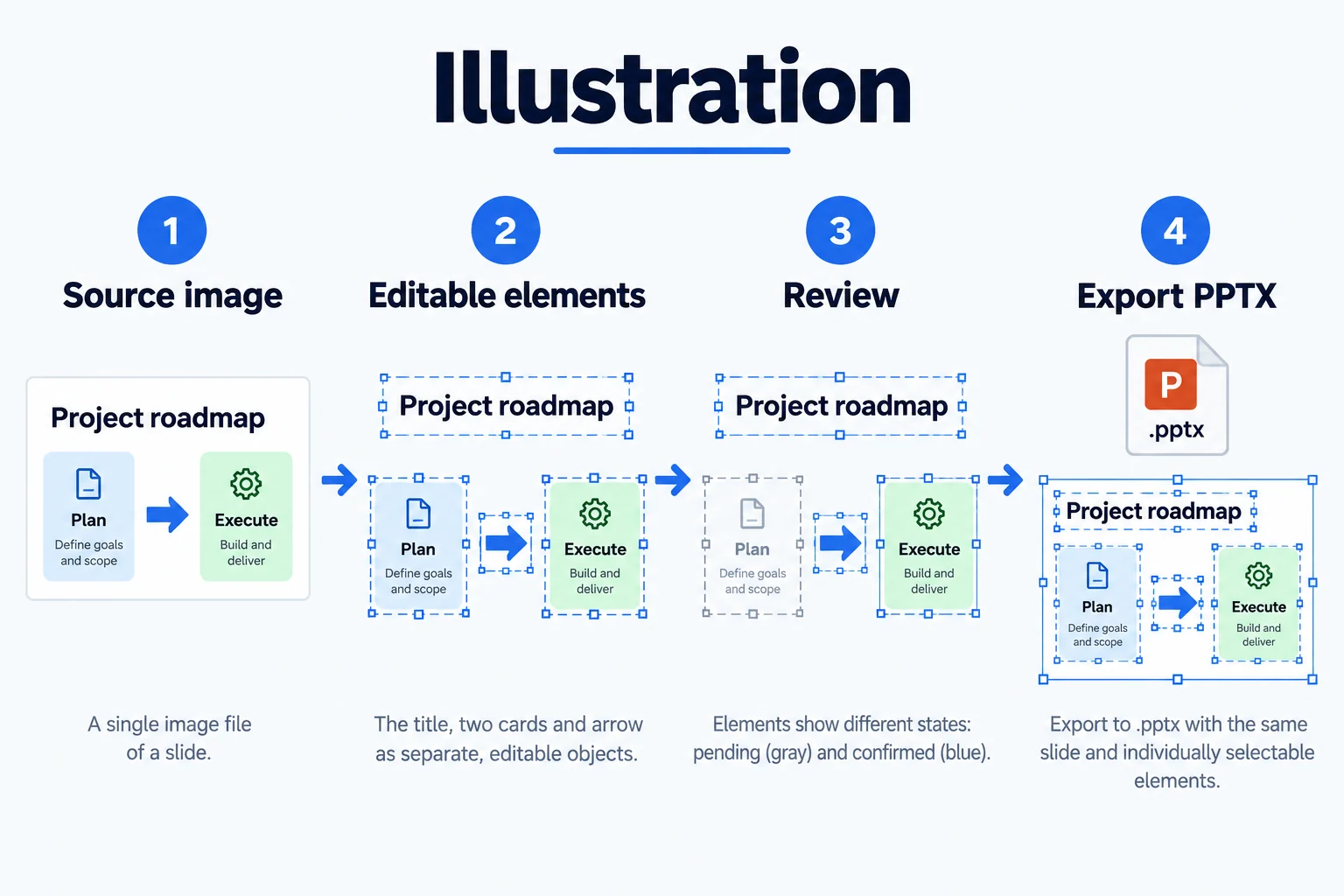
Convert an image to PowerPoint and keep editing it afterwards
Every image to PPT export is a standard .pptx that opens in PowerPoint, Keynote and WPS with no add-in, and you never have to come back to this site. Recolour it for another brand, rewrite a paragraph, move a card to the next slide — all of that happens inside PowerPoint.
Image to editable PPT: what "editable" actually means
Editable means every element is its own object: you can select it alone, drag it, change its font size and colour, delete it and redraw it. Charts follow the same rule today — bars, axes and labels are separate objects, so you can restyle them and fix labels; turning them into native chart objects with editable data series is still in progress.
It checks its own output
An image to PPT conversion is not shipped on the first pass: a completeness check adds back what was missed, then the render goes to the model next to the original so position, colour and size drift get repaired. Elements are drawn while the model streams, so the page assembles in front of you instead of appearing after one long wait.
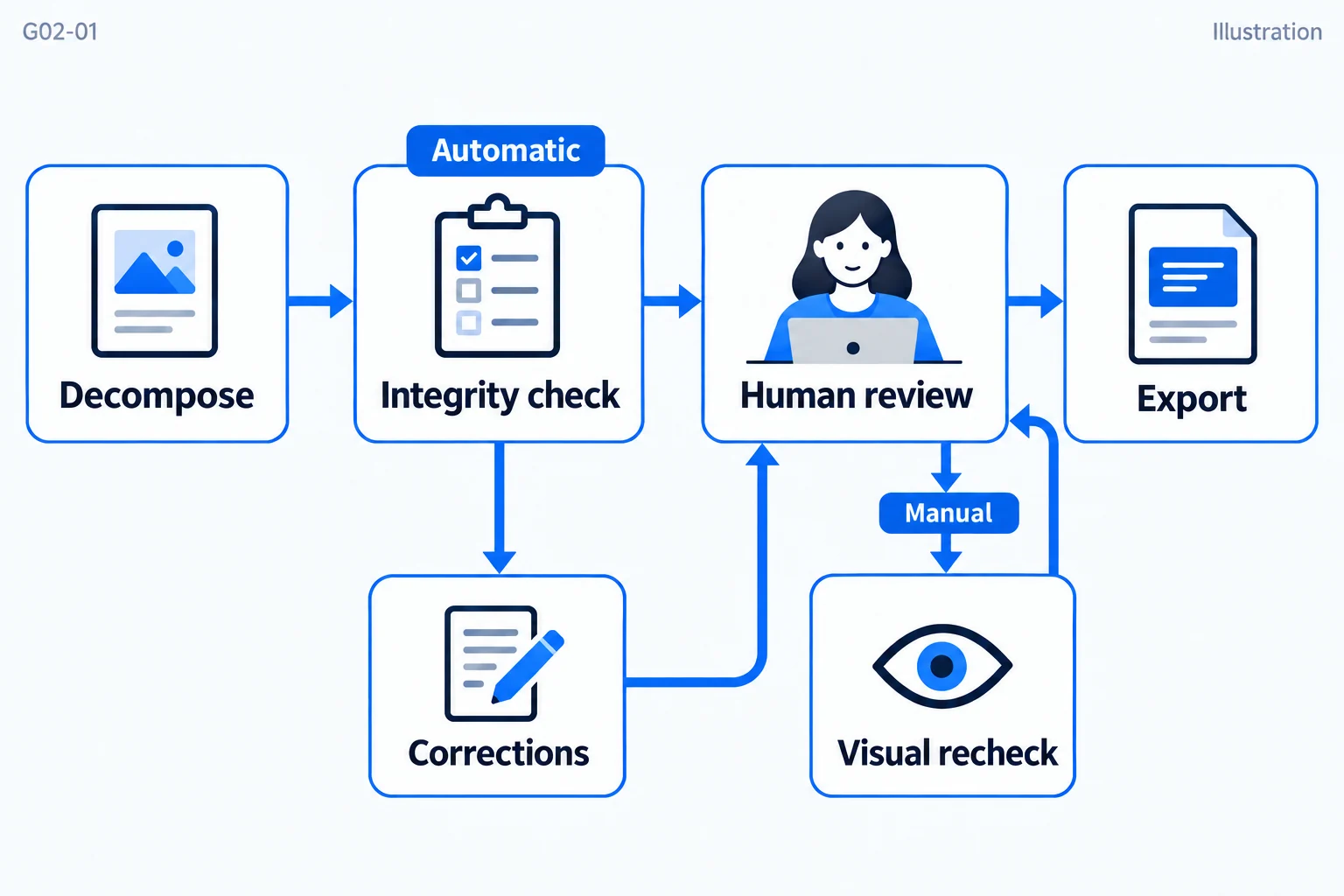
After image to PPT, check the result before you style it
A conversion finishing is not the same as being ready to ship. With image to PPT, review the result element by element first: is the title split across two lines, has a bulleted list collapsed into one paragraph, has a card edge drifted. Doing this in the editor is faster than paging through PowerPoint afterwards, because each object can be clicked on its own.
Which file formats image to PPT accepts
JPG, PNG, WebP and screen captures all upload as they are, with no conversion step first. What decides the result is not the extension but whether the pixels are large enough and the edges sharp: the same page captured at twice the size gives far steadier small type and hairlines. If the file has already been recompressed by a chat app, go back to the original size before uploading.
When image to PPT saves you redrawing the page
Three cases come up most often: an old deck survives only as exported images with no source file; a slide arrives as a screenshot from a colleague or a competitor and has to come back in your own template; training material changes a few numbers every year and nobody wants to lay it out again. In all three, image to PPT edits a layout that already exists instead of designing from a blank page.
Questions
Is the image to PPT result really 100% restored?
For the inputs image to PPT is built for — slide screenshots, exported JPG/PNG decks and architecture figures from papers — nothing in the export is a flat picture. Text, shapes, tables, icons, charts and photos are all selectable objects. If one export still contains a flat picture, that is a bug: send us the source image.
Which images convert best?
Clean business slides and diagram figures with regular geometry and clear contrast convert best. Dense gradients, hand-drawn illustration and decorative display type degrade, so those pages are better converted first and redrawn locally afterwards.
What do charts turn into?
Today they become editable drawings: bars, axes, gridlines and labels as separate objects. Native chart objects — the kind with an editable data series — are still being built.
Will the exported file open elsewhere?
Yes. The export is a standard .pptx that opens and stays editable in PowerPoint, Keynote and WPS.
Does image to PPT need an internet connection?
Yes. Recognition and decomposition run on the server while the browser handles editing and export; once the .pptx is downloaded it no longer needs a connection.