Why PNG is the cleaner input
PNG stores pixels without loss, so a PNG to PPT conversion can measure text edges and hairlines without noise getting in the way. Screenshots, Figma exports and Keynote image exports all fall into this group.
What happens to transparent PNGs
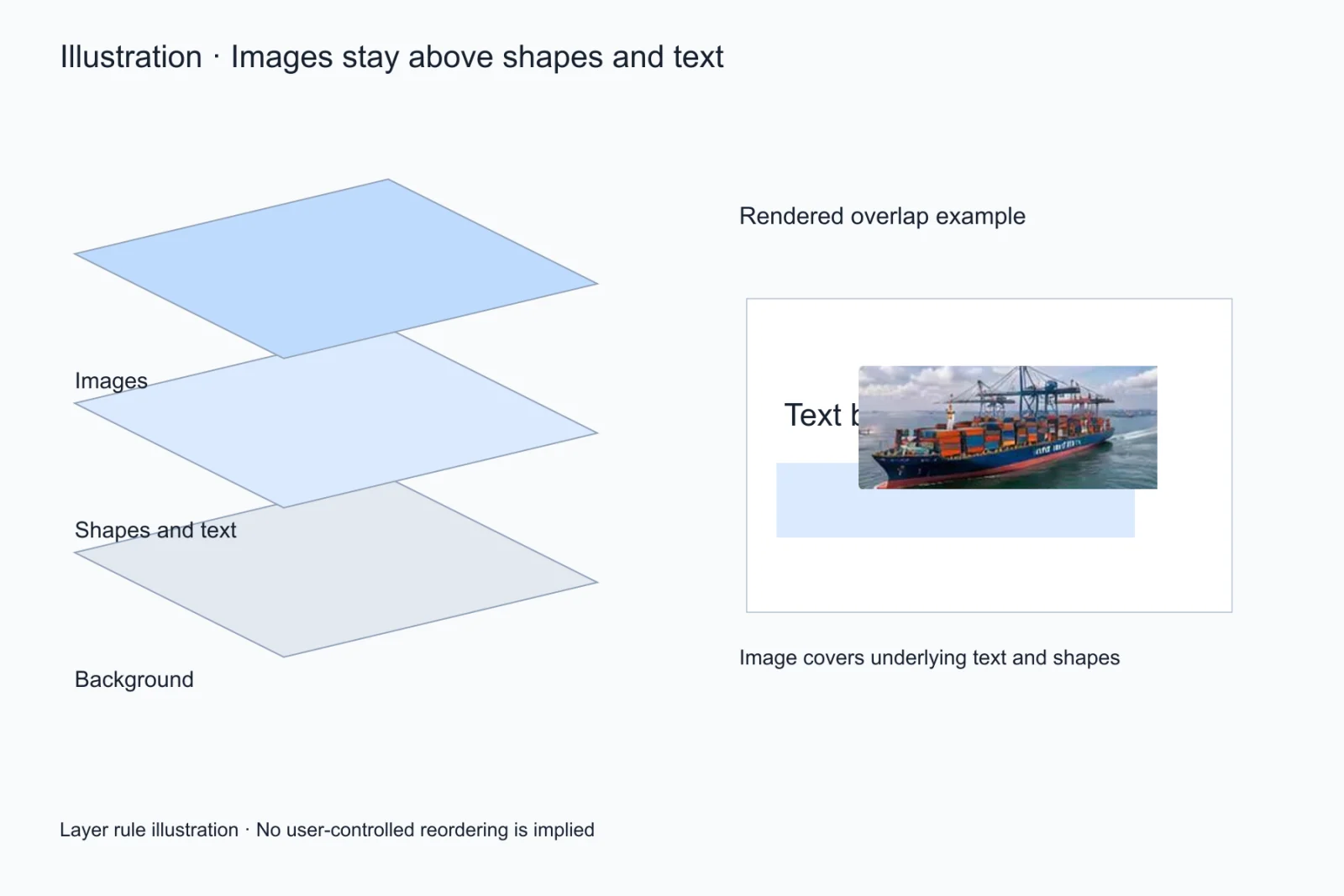
Transparent assets stay transparent as picture objects and keep their stacking position; the page background is exported as its own shape, so the two never get flattened together.
What you can change after PNG to PowerPoint
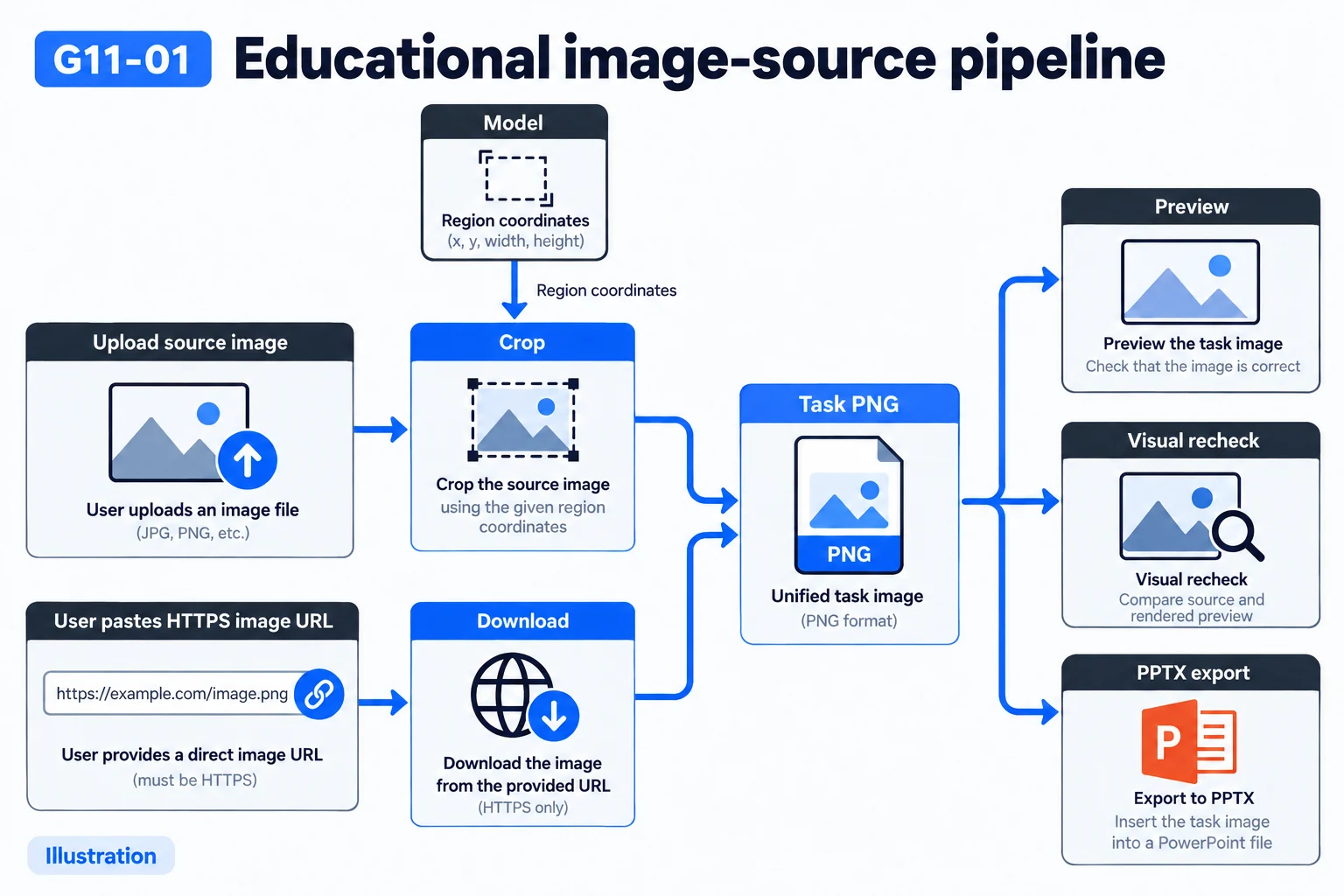
After a PNG to PPT conversion you can retype text, recolour shapes and edit their points, change table cells, recolour and scale icons, and replace or recrop pictures. The page exports as a .pptx with no add-in dependency.
Resolution and scaling
High-resolution screenshots work best. Retina captures produce a larger canvas with more elements, so processing takes longer. Heavily downscaled screenshots lose small type first.
Two typical sources for a PNG to PPT conversion
One source is a capture: a web page, a Figma canvas, an exported Keynote page. The other is a design export where the designer ticked a transparent background. A PNG to PPT job starts from one of those two, and they fail in opposite ways: UI chrome multiplies and panel borders look like cards, while transparent layers stack without saying which one sits in front.
The invisible layering inside a PNG to PPT conversion
In a transparent PNG the stacking order exists only in the alpha channel. The pass has to decide which block is the background, which is decoration sitting over text, and which is an annotation floating on top. Getting it wrong throws no error, but the export comes back inverted, so walk the element list top to bottom in the editor.
Three things worth doing before the upload
First, crop to the slide boundary so the address bar and taskbar are gone. Second, check the width is at least 1280 pixels and scale a small image up. Third, if the capture came from dark mode, decide up front whether the export should stay dark. All three take seconds and remove the parts that most often force a second attempt.
How a PNG to PPT conversion differs from dropping in the picture
Inserting the picture takes two seconds, but every later copy change sends you back to the source. The extra minute a PNG to PPT conversion costs buys objects you can select individually: change a number, swap to the brand palette, move a card to the next page, none of it starts over. The gap widens with the page count.
The three usual misreads
One: a pale circle behind an icon read as a shape. Two: a divider read as a table border. Three: one paragraph split into several text boxes. The first two are quick to merge or delete in the editor; the third needs the paragraph tool to rejoin, so start there when a block comes back scattered. None of the three is unique to this tool — they show up in any PNG to PPT pass.
File size and picture quality after export
Photos on the page are cropped out of the source image, so after a PNG to PPT export the file is usually smaller than the original but larger than a text-only deck. When it gets too big to send, compress the pictures rather than the type: the first only softens how the page looks, while the second makes the words unreadable.
What to keep when you can only keep one thing
Keep resolution over file size, and keep the original background rather than recolouring during the pass. A PNG to PPT conversion that starts from a clean, large capture needs far less manual repair, and a background kept intact is one you can change later without running anything again.
Questions
Is transparency in a PNG preserved?
Yes. Transparent assets keep their alpha channel when exported as picture objects.
Is the result different between PNG and JPG?
PNG to PPT uses the same pipeline, but PNG pixels are cleaner, so text and hairlines convert more consistently — small type especially.
Can I upload multiple PNGs?
One page per job for now: each job maps to one slide.
Does a PNG to PPT conversion keep a transparent background?
It does, but it depends on how you use it. Transparent assets keep their alpha channel as picture objects; if the whole page was transparent, PowerPoint shows white behind it and you add a background shape yourself.
How large a PNG can I upload?
Typical high-resolution captures land between 2 and 8 MB and upload fine. Anything much larger is usually a whole-page composite, so crop to the region you need first — recognition is faster and more accurate.