AI image to PowerPoint: the model gives pixels, the deck needs a file

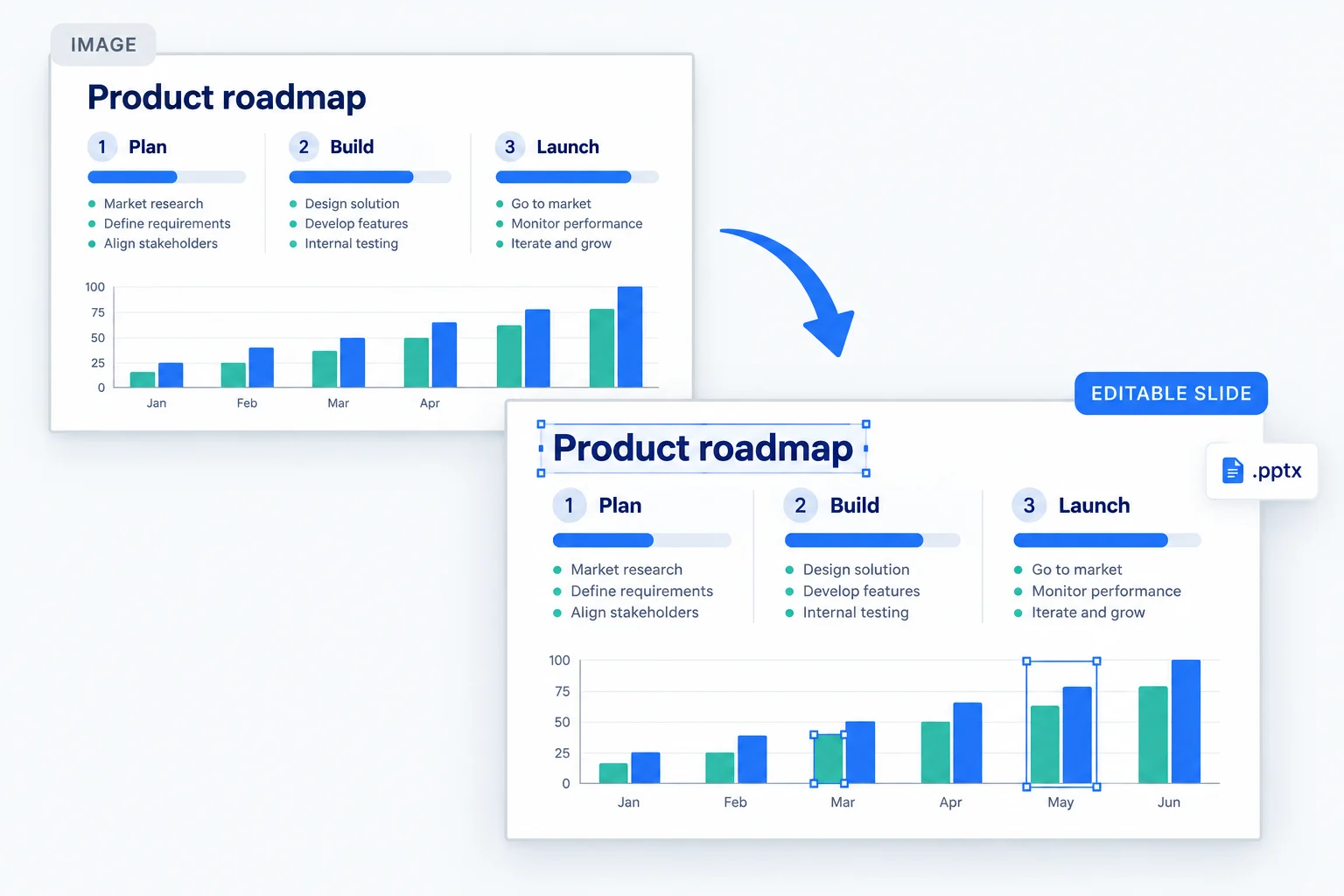
Generating a layout is fast, but what comes back is an image. AI image to PowerPoint measures that image back into text boxes, shapes and tables, so a font swap, a number change or an added note no longer means another generation.

Concept illustration of image to slide conversion, from a flat screenshot to individually editable text and shapes

Live tool · free to try

Drop an image in and start converting

JPG, PNG, screenshots and .pptx — text, shapes and tables stay individually editable afterwards.

Each successful AI action costs 10 credits. Conversion includes its automatic completeness check. Manual editing and export are free. Preview streams live; credits are charged on completion.

Connecting to the local service…

Source image

Click or drag an image or .pptx here to upload
Status: Waiting for upload · revision —
Multimodal model settings

Actions

PPT preview (live)

Waiting for analysis results

Cmd/Ctrl-click to select multiple, Shift-click to select a range.

Waiting for analysis results

Properties

Select an element

Click the canvas or object list to edit text, position and appearance.

AI Assistant

Select elements to edit, or ask to "Optimize everything".

AI image to PowerPoint is a delivery problem, not a design one

A render looks fine in the chat and stalls at delivery: a colleague wants a different date, a client wants their own logo, you want to add speaker notes. All of it needs an editable file.

AI image to PowerPoint leaves the layout alone and turns the image into objects PowerPoint understands, so every later edit happens inside the file. Put differently, the endpoint of image to editable PowerPoint is exactly this kind of file: the layout untouched, every edit done in PowerPoint.

AI generated slides to editable PPT: what comes back out

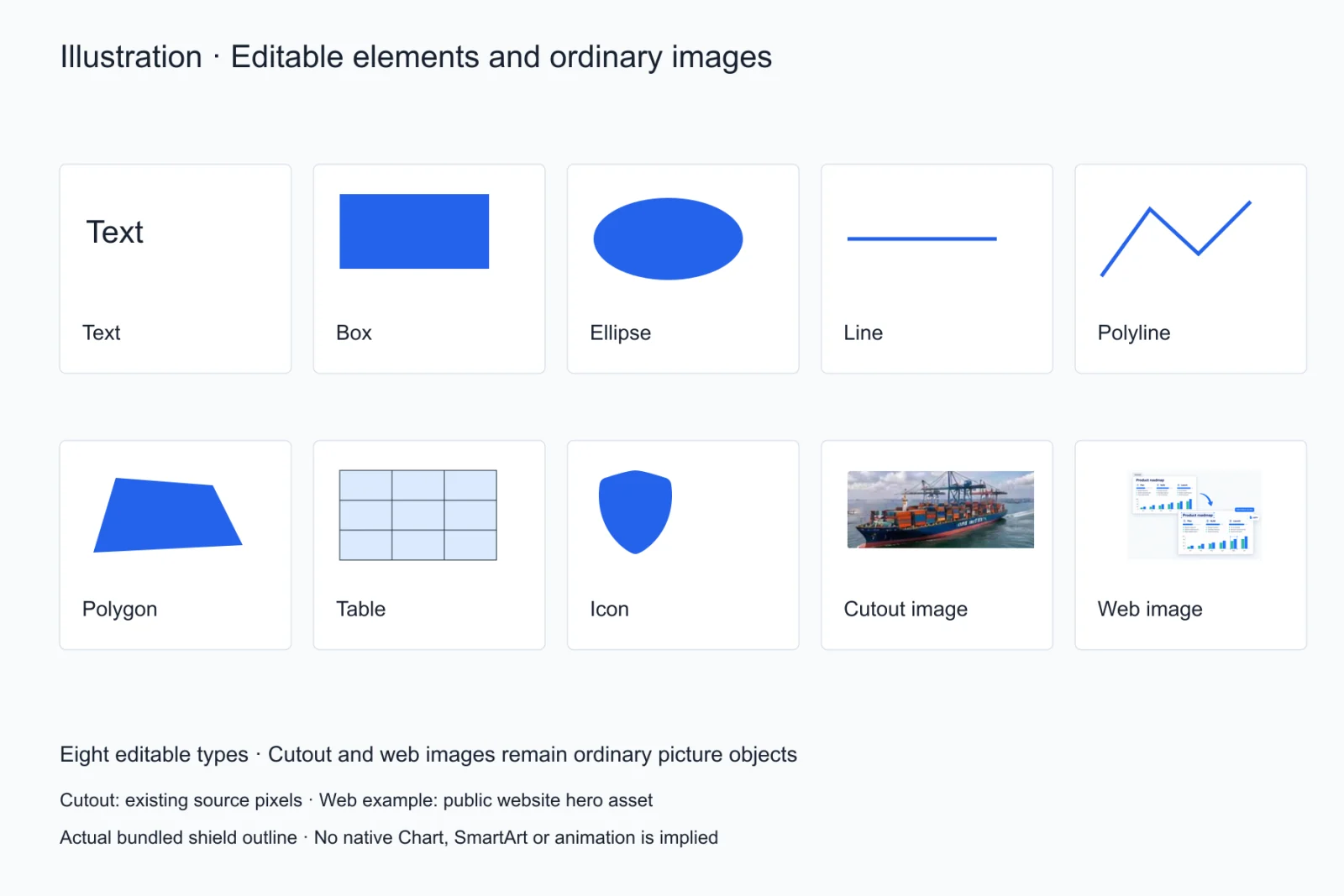
An AI image to PowerPoint pass turns headings and body copy into text boxes, cards and colour blocks into shapes, icons into recolourable vector shapes, and crops photos or illustration out as picture objects. One caveat up front: a table drawn by a generation model is usually just rules and text, so it returns as shapes plus text boxes rather than a native table with editable cells.

That is a limit of the image, not a missed element.

Headings, cards, icons and pictures from an AI render mapped to objects
Object types that can come out of a render

Key points

Three reasons an AI render is harder than a real capture

First, the lettering is generated: strokes are soft, spacing drifts and small type gets misread. Second, a render often carries slight perspective and inconsistent corner radii, which the conversion reads as genuine geometry.

Third, shadows and texture are added at random and can be mistaken for separate elements. That is why an AI image to PowerPoint result needs a closer position check than a screenshot does.

Generation habits that make AI image to PowerPoint easier

To make an AI image to PowerPoint conversion easier, ask for a 16:9 frame, a flat background, flat vector styling and a visible grid; keep each page under thirty words and avoid small type or hairline outlines; put the key copy in the prompt instead of trusting the model to spell it. Download the full-size PNG rather than the thumbnail in the chat, and never substitute a screenshot — those two steps decide whether small type survives.

Three checks after AI image to PowerPoint

One, typos: generated lettering often loses a stroke or gains one, and the conversion reproduces it faithfully. Two, alignment: card edges and text baselines may be read as offset.

Three, icons: complex ones may arrive as pictures while simple ones come back as shapes. After an AI image to PowerPoint conversion, only the typos need retyping; the other two can be dragged into place in the editor.

How output differs between generation tools

Ideogram usually letters most accurately, which suits pages whose headline carries real copy; Midjourney has the strongest texture and lighting and is the most likely to collapse into pictures; Flux and DALL·E tend to produce regular layouts with clear geometric edges. ChatGPT output has its own page in ChatGPT image to PPT, and so does Gemini — for AI image to PowerPoint the pipeline is the same whatever the tool, and the difference is lettering quality and how you export.

When to regenerate instead of converting

If the layout itself is wrong — muddled hierarchy, unbalanced whitespace, clashing colours — converting only freezes the problem, and going back to the prompt is faster. The opposite case is where AI image to PowerPoint pays: the layout is already right and only a few words or numbers have to change.

Pick the page that matches what you have

A JPG, a PNG, a screenshot or an AI-generated picture — one page per input, each with the converter at the top.

Image to slide overview

Subscribe to image to slide, no install

Image to slide runs entirely in the browser, and the exported file depends on no plugin.

See image to slide pricing
  • Native image to slide exportEvery image to slide export keeps text, tables and shapes as real objects, not one flat picture.
  • Shared image to slide creditsEach image to slide conversion and its completeness check cost credits per run; Pro chat edits are charged the same way.
  • Cancel anytimeCancel from the account page; image to slide exports you already made keep working.

Image to slide questions before uploading

Does it work on Midjourney renders too?

Yes, an AI image to PowerPoint pass runs the same pipeline. As long as the render has legible text and distinguishable shapes it can be decomposed; illustration-led pages come back mostly as picture objects.

Are typos in the render corrected automatically?

No. The conversion is faithful to the image, so misspellings are preserved and you fix them in the editor.

Is the generated font preserved?

Not as-is. Type is matched by visual characteristics to an available font, and replacing it across the file after export is faster.

Does a higher render resolution convert more accurately?

Yes. A higher resolution keeps small type and hairlines legible, so the decomposition is steadier. When the tool allows a size, ask for a large 16:9 frame.

How is this different from ChatGPT image to PPT?

This page covers the general AI image to PowerPoint pipeline and the differences between models; the ChatGPT and Gemini pages cover export quirks for those tools. All three describe the same conversion step.

Updated November 2026