Convert poster to PowerPoint: turn a print layout into an editable page

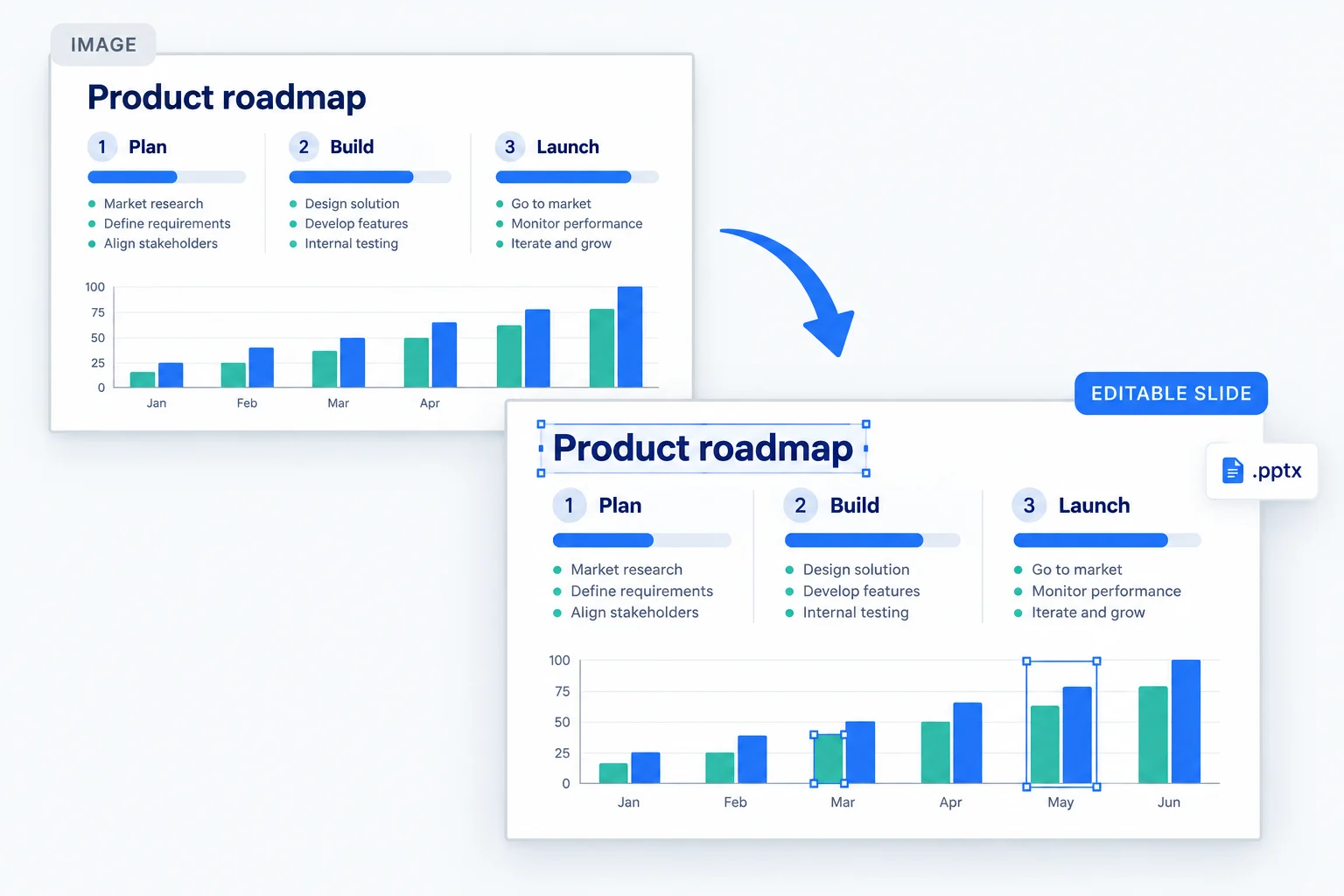
An event poster often survives as one exported JPG or PDF, and changing a date means asking a designer to redo it. Convert poster to PowerPoint and the image comes apart again into headline, body copy, colour blocks and decoration, with every edit happening in PowerPoint.

Concept illustration of image to slide conversion, from a flat screenshot to individually editable text and shapes

Live tool · free to try

Drop an image in and start converting

JPG, PNG, screenshots and .pptx — text, shapes and tables stay individually editable afterwards.

Each successful AI action costs 10 credits. Conversion includes its automatic completeness check. Manual editing and export are free. Preview streams live; credits are charged on completion.

Connecting to the local service…

Source image

Click or drag an image or .pptx here to upload
Status: Waiting for upload · revision —
Multimodal model settings

Actions

PPT preview (live)

Waiting for analysis results

Cmd/Ctrl-click to select multiple, Shift-click to select a range.

Waiting for analysis results

Properties

Select an element

Click the canvas or object list to edit text, position and appearance.

AI Assistant

Select elements to edit, or ask to "Optimize everything".

Poster to PowerPoint starts with the canvas ratio

Before you convert poster to PowerPoint, check the canvas ratio: posters are usually portrait or square while slides are 16:9. Elements are reconstructed in the coordinates of the source image, so they need re-laying out once inside a 16:9 page.

A steadier route is to set a page height close to the poster ratio first and scale everything afterwards, or to take only the key visual area and rebuild it as a title slide.

Which parts of a poster are worth decomposing

Headline, subheading, date and venue, organiser details, QR code and logo, background blocks and decorative shapes — those seven carry all the editable value in a poster. Photos and illustration are cropped out as picture objects whose position and crop can change but whose content cannot.

Once you convert poster to PowerPoint, changing a date is a double-click on a text box. The closest cousin of a poster is a tall infographic, and convert infographic to editable PPT covers how one long image splits across slides.

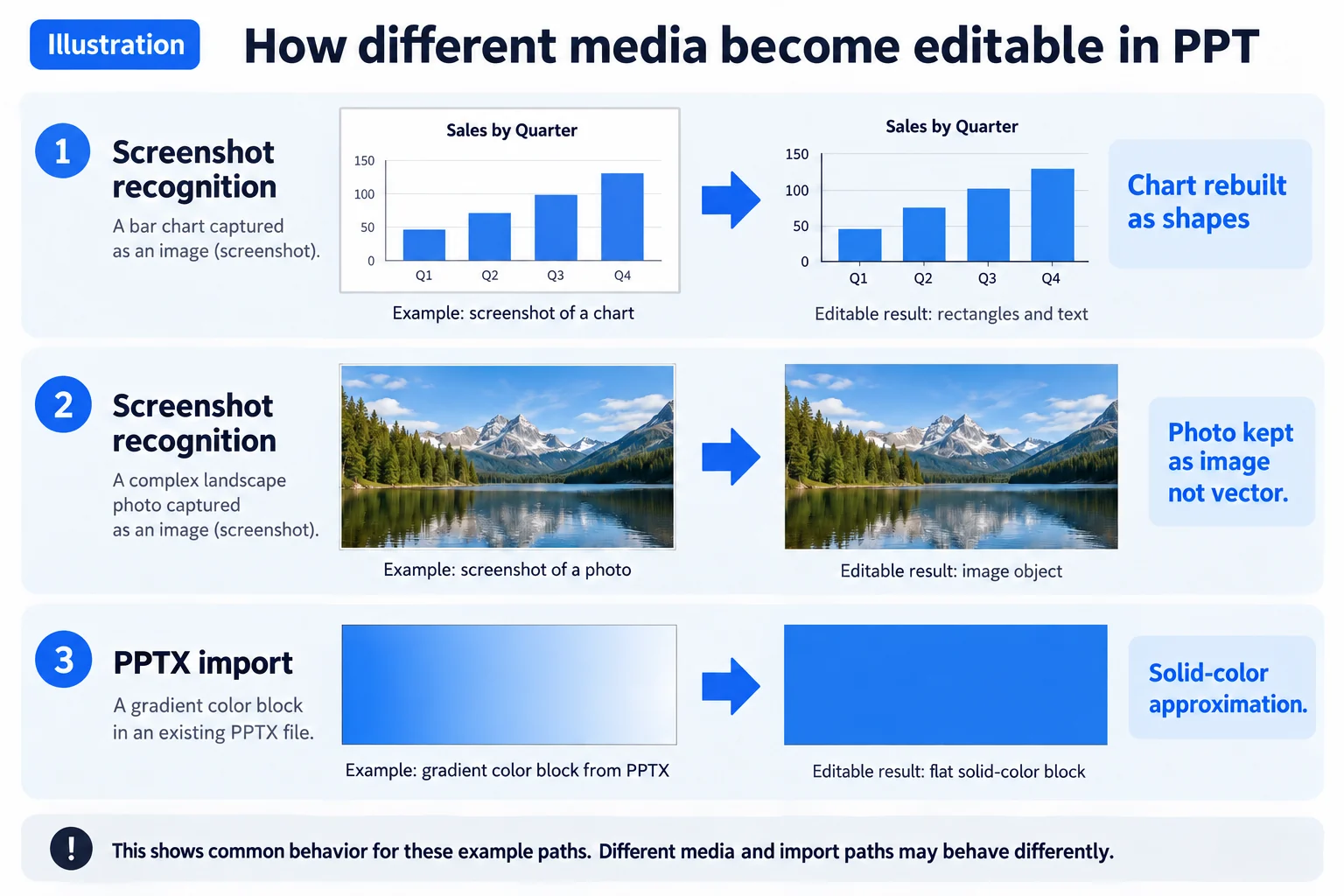
How content without a native element is handled as a picture object
What becomes an object and what stays a picture

Key points

Why poster type is the hardest part

Poster headlines often use display faces, outlined type or warped lettering. An image carries no font information, so only a close available face can be matched and the letterforms will differ visibly.

After you convert poster to PowerPoint, the headline usually needs one font choice and a size nudge; body copy and captions are far less affected and generally usable as they are.

Two common reasons to convert poster to PowerPoint

Two needs come up when you convert poster to PowerPoint. First, turning an offline event poster into the cover and inside pages of an online briefing while keeping the key visual and swapping the event details. Second, archiving past posters as a one-page retrospective where each contributes only a headline and a hero image.

Neither needs the original design file — both need a page whose text and colours can change.

Print colour versus screen colour

Posters exported from print files are usually CMYK converted to RGB, which leaves darks heavier and saturation high. What you get when you convert poster to PowerPoint is sampled from pixels — the screen value, not the brand standard.

When brand colour is strict, replacing fills once in PowerPoint with an eyedropper value after export is more reliable than adjusting blocks one by one.

Crop bleed and empty margins before uploading

Print posters carry a few millimetres of bleed and crop marks, which get recognised as page content and turn into stray shapes. Crop to the content boundary before uploading and keep the QR code and logo intact; if only a low-resolution copy exists, find a vector file or a larger export before you convert poster to PowerPoint.

Which posters are not worth converting

Posters led by photography, heavy texture or a headline that exists entirely as custom lettering come back as picture objects and misaligned text blocks that take longer to fix than to rebuild. Those are better used as a single background image on a cover slide, or redone in a design tool.

The posters that are worth converting travel the ordinary image to PPT route — convert poster to PowerPoint only adds one canvas adjustment on top.

Pick the page that matches what you have

A JPG, a PNG, a screenshot or an AI-generated picture — one page per input, each with the converter at the top.

Image to slide overview

Subscribe to image to slide, no install

Image to slide runs entirely in the browser, and the exported file depends on no plugin.

See image to slide pricing
  • Native image to slide exportEvery image to slide export keeps text, tables and shapes as real objects, not one flat picture.
  • Shared image to slide creditsEach image to slide conversion and its completeness check cost credits per run; Pro chat edits are charged the same way.
  • Cancel anytimeCancel from the account page; image to slide exports you already made keep working.

Image to slide questions before uploading

Can a PDF poster be converted directly?

It has to become an image first. PDF text is selectable, but its layout is not PowerPoint objects, so the route is still PDF to image, then convert poster to PowerPoint.

Is the QR code preserved?

After you convert poster to PowerPoint, the QR code survives as a picture or shape object, but always scan it before shipping. QR codes are sensitive to pixels, and one from a low-resolution poster often stops working — regenerate and paste a fresh one when that happens.

Can a portrait poster fit a 16:9 slide?

Yes, but it needs re-laying out: convert poster to PowerPoint keeps the source coordinates, so space has to be redistributed in a landscape page — typically the key visual on one half, the headline and event details on the other.

Is custom lettering restored exactly?

No. After you convert poster to PowerPoint, custom lettering becomes one or more shapes and the letterforms are not preserved. Retype such headlines after export and pick a close font.

Can the converted page be sent to print?

Not advisable. A convert poster to PowerPoint result is a screen-oriented 16:9 page with no bleed, no CMYK and no 300 dpi guarantee. Printing still needs the original design file or a fresh layout.

Updated November 2026