Image to PPT: turn one image into an editable PowerPoint

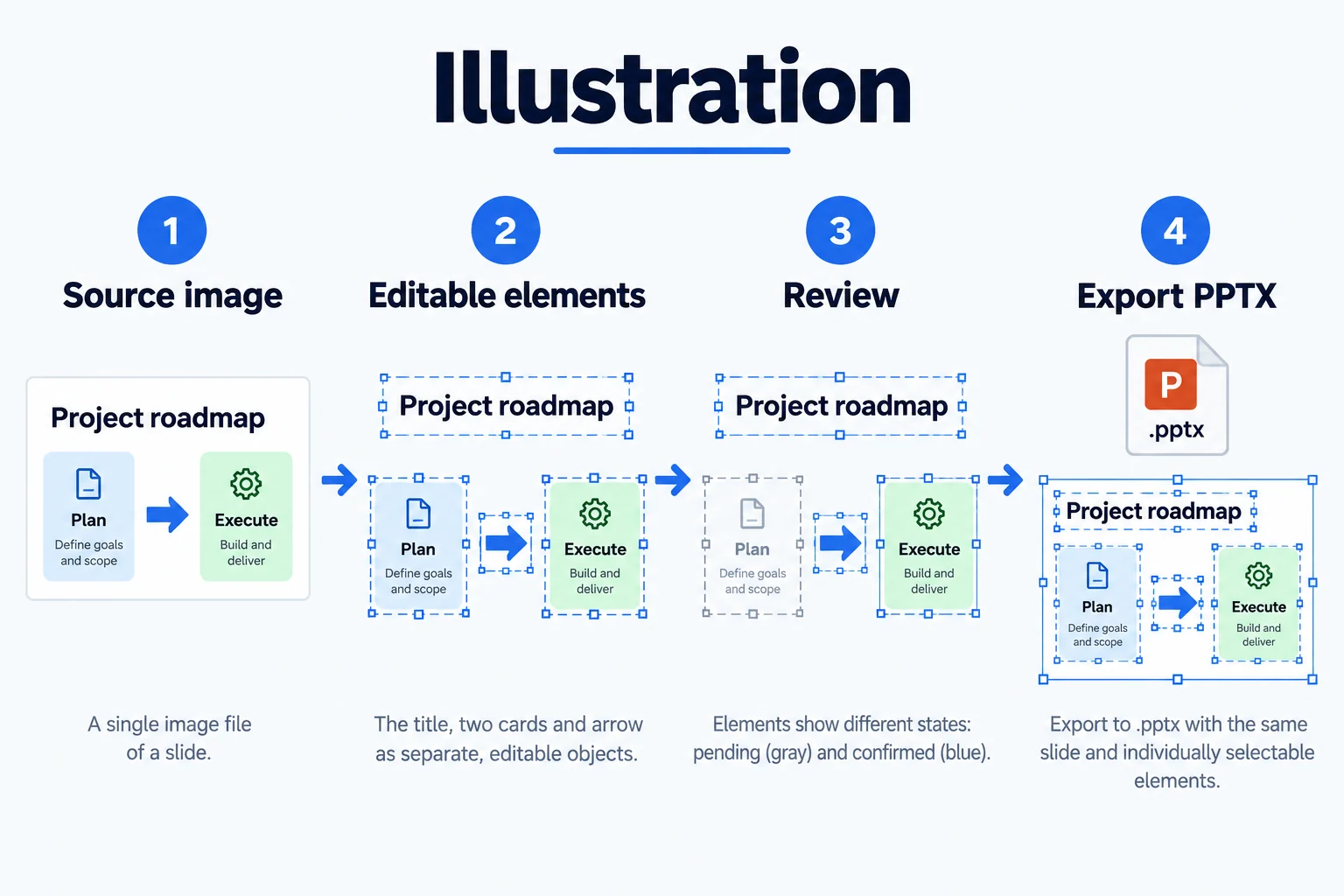
There are two ways to do image to PPT: paste the whole picture onto a slide, or rebuild the page. This is the second one — which is what "image to editable PPT" actually means.

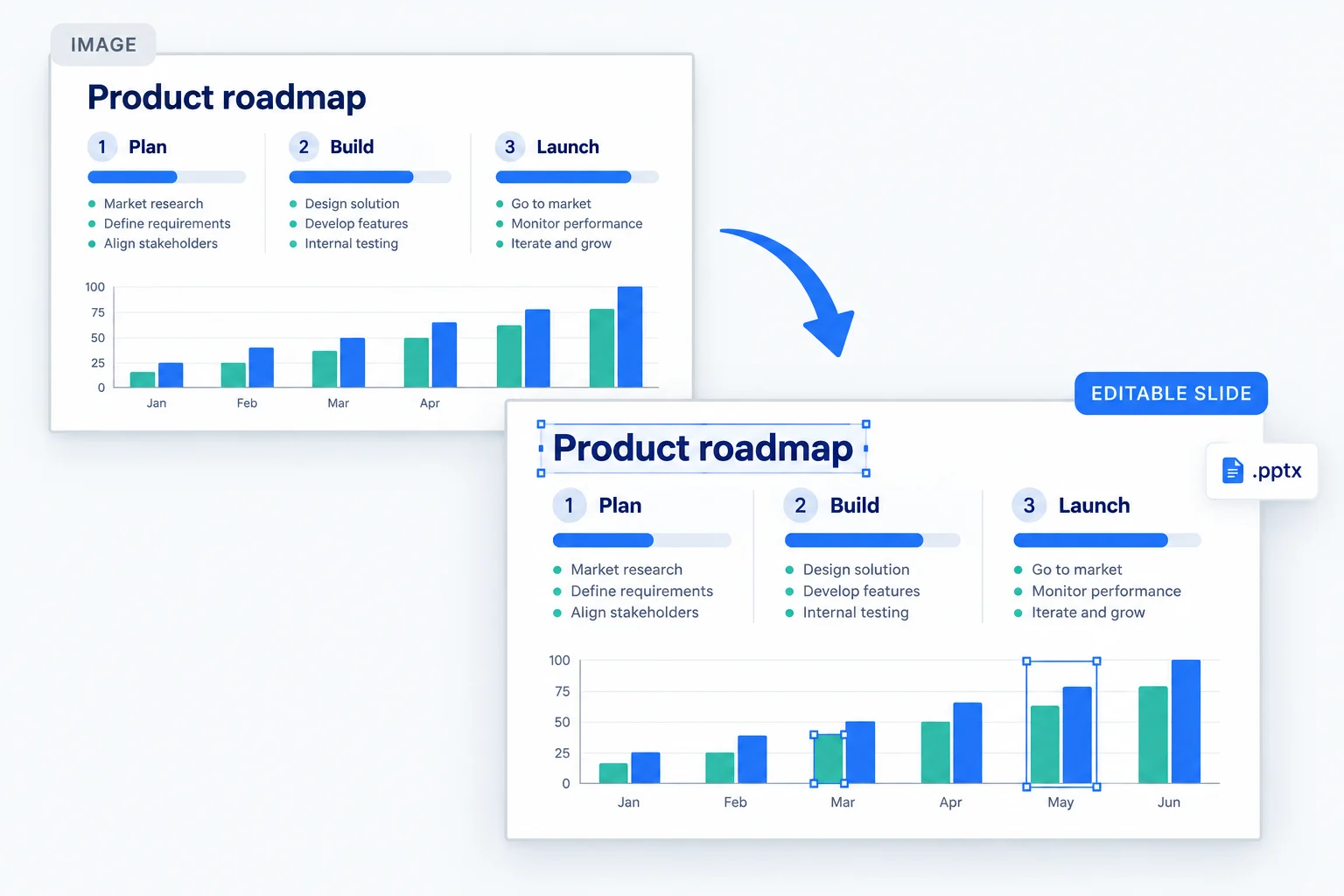
Concept illustration of image to slide conversion, from a flat screenshot to individually editable text and shapes

Live tool · free to try

Drop an image in and start converting

JPG, PNG, screenshots and .pptx — text, shapes and tables stay individually editable afterwards.

Each successful AI action costs 10 credits. Conversion includes its automatic completeness check. Manual editing and export are free. Preview streams live; credits are charged on completion.

Connecting to the local service…

Source image

Click or drag an image or .pptx here to upload
Status: Waiting for upload · revision —
Multimodal model settings

Actions

PPT preview (live)

Waiting for analysis results

Cmd/Ctrl-click to select multiple, Shift-click to select a range.

Waiting for analysis results

Properties

Select an element

Click the canvas or object list to edit text, position and appearance.

AI Assistant

Select elements to edit, or ask to "Optimize everything".

Image to PPT means rebuilding the page, not pasting a picture

Once a flat picture is on a slide, changing one number means rebuilding the page. Upload the image here and text becomes a text box you can type into, colour blocks become native shapes with editable points, tables become native tables with editable cells, icons become vector shapes you can recolour, and photos are cropped out of the source and placed on top as picture objects.

A screenshot split into text, shapes, tables and icons
From one screenshot to editable objects

Key points

Convert an image to PowerPoint and keep editing it afterwards

Every image to PPT export is a standard .pptx that opens in PowerPoint, Keynote and WPS with no add-in, and you never have to come back to this site. Recolour it for another brand, rewrite a paragraph, move a card to the next slide — all of that happens inside PowerPoint, and a ChatGPT image to PPT export lands in the same standard file.

Image to editable PPT: what "editable" actually means

Editable means every element is its own object: you can select it alone, drag it, change its font size and colour, delete it and redraw it. Charts follow the same rule today — bars, axes and labels are separate objects, so you can restyle them and fix labels; turning them into native chart objects with editable data series is still in progress.

Infographic bars and legends follow the same rule: after you convert infographic to editable PPT, every label is its own editable text box.

It checks its own output

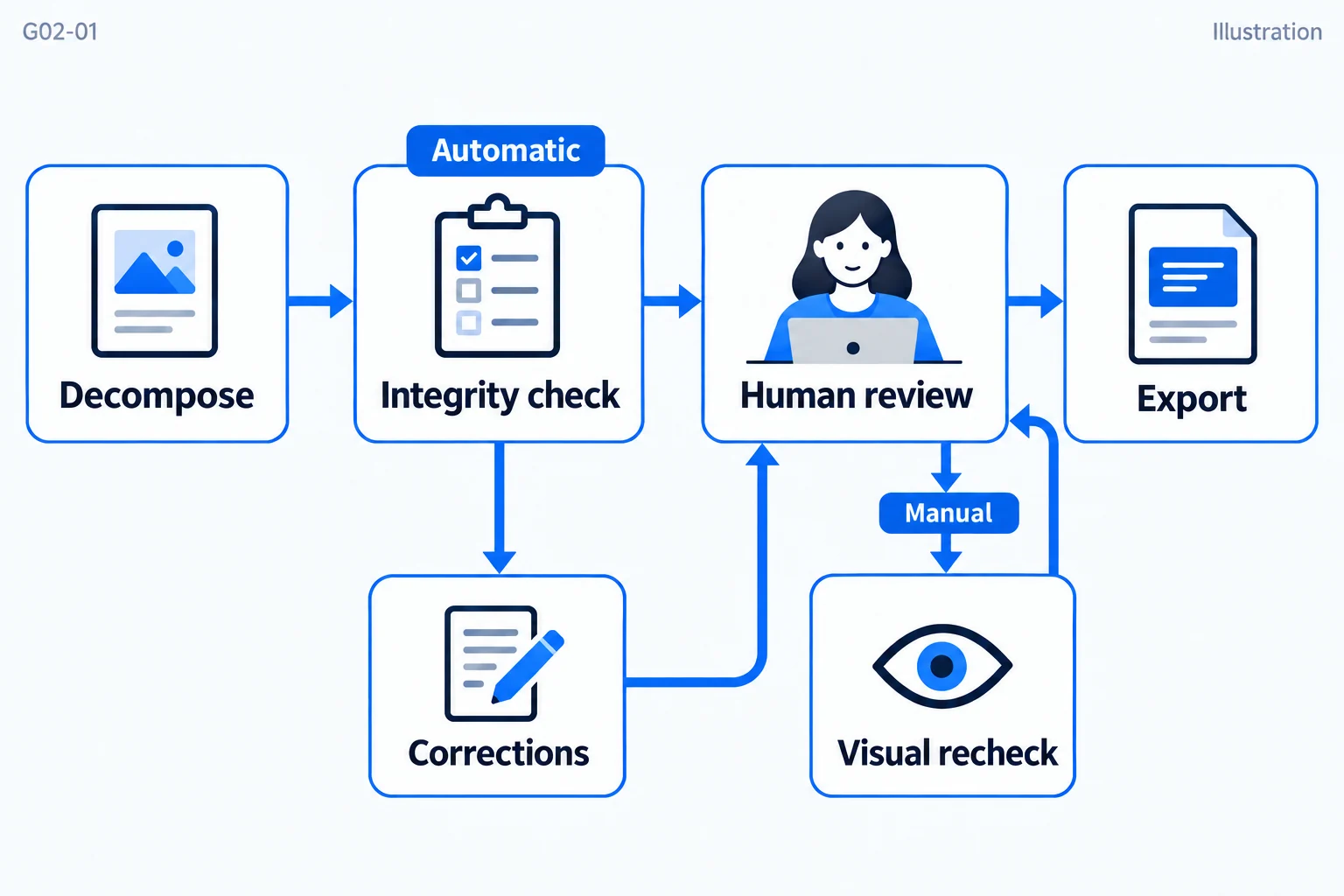
An image to PPT conversion is not shipped on the first pass: a completeness check adds back what was missed, then the render goes to the model next to the original so position, colour and size drift get repaired. Elements are drawn while the model streams, so the page assembles in front of you instead of appearing after one long wait.

The generate, integrity check and visual recheck loop
Two checks run after the first pass

Key points

After image to PPT, check the result before you style it

A conversion finishing is not the same as being ready to ship. With image to PPT, review the result element by element first: is the title split across two lines, has a bulleted list collapsed into one paragraph, has a card edge drifted.

Doing this in the editor is faster than paging through PowerPoint afterwards, because each object can be clicked on its own.

Which file formats image to PPT accepts

Image to PPT accepts JPG, PNG, WebP and screen captures as they are, with no conversion step first. What decides the result is not the extension but whether the pixels are large enough and the edges sharp: the same page captured at twice the size gives far steadier small type and hairlines.

If the file has already been recompressed by a chat app, go back to the original size before uploading. The same rule holds before a screenshot to PPT pass.

When image to PPT saves you redrawing the page

Three cases come up most often: an old deck survives only as exported images with no source file; a slide arrives as a screenshot from a colleague or a competitor and has to come back in your own template; training material changes a few numbers every year and nobody wants to lay it out again. In all three, image to PPT edits a layout that already exists instead of designing from a blank page.

AI-generated pages are a fourth case: an AI image to PowerPoint pass takes one apart so only the words that have to change are touched.

Pick the page that matches what you have

A JPG, a PNG, a screenshot or an AI-generated picture — one page per input, each with the converter at the top.

Image to slide overview

Subscribe to image to slide, no install

Image to slide runs entirely in the browser, and the exported file depends on no plugin.

See image to slide pricing
  • Native image to slide exportEvery image to slide export keeps text, tables and shapes as real objects, not one flat picture.
  • Shared image to slide creditsEach image to slide conversion and its completeness check cost credits per run; Pro chat edits are charged the same way.
  • Cancel anytimeCancel from the account page; image to slide exports you already made keep working.

Image to slide questions before uploading

Is this image to PPT maker free to try?

Signup includes 10 free credits with no card required; each conversion and completeness check draws from that balance, and the pricing page lists the exact amounts. Spend the free credits on the slides you cite most and confirm the rebuild before deciding whether to subscribe.

Is the image to PPT result really 100% restored?

For the inputs image to PPT is built for — slide screenshots, exported JPG/PNG decks and architecture figures from papers — nothing in the export is a flat picture. Text, shapes, tables, icons, charts and photos are all selectable objects. If one export still contains a flat picture, that is a bug: send us the source image.

Which images convert best?

For an image to PPT pass, clean business slides and diagram figures with regular geometry and clear contrast convert best. Dense gradients, hand-drawn illustration and decorative display type degrade, so those pages are better converted first and redrawn locally afterwards.

What do charts turn into?

Today they become editable drawings: bars, axes, gridlines and labels as separate objects. Native chart objects — the kind with an editable data series — are still being built.

Will the exported file open elsewhere?

Yes. An image to PPT export is a standard .pptx that opens and stays editable in PowerPoint, Keynote and WPS.

Does image to PPT need an internet connection?

Yes. Recognition and decomposition run on the server while the browser handles editing and export; once the .pptx is downloaded it no longer needs a connection.
Updated November 2026